Media Player Web Part
The Media Player Rotator Web Part either selects a random media file, a specific media file or a media playlist from the specified Sharepoint Picture or Document Library.
Web Part Configuration:
|
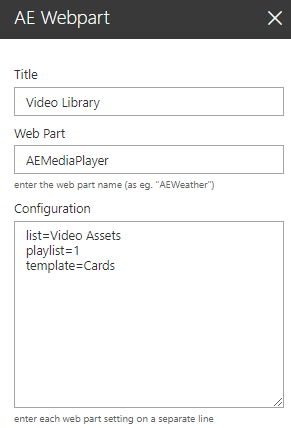 |
The Media Player Rotator Web Part either selects a random media file, a specific media file or a media playlist from the specified Sharepoint Picture or Document Library.
Web Part Configuration:
|
|
 site=Site URL (if the list is located in another site)