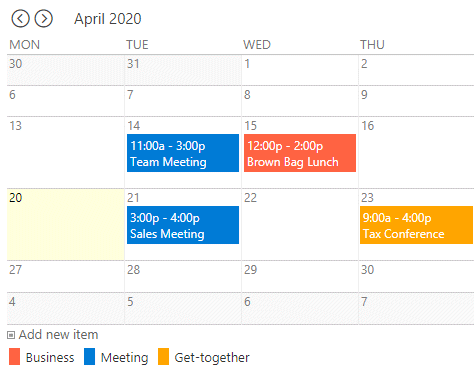
The Color Calendar Web Part displays the color-coded appointments of the selected Sharepoint Calendar.
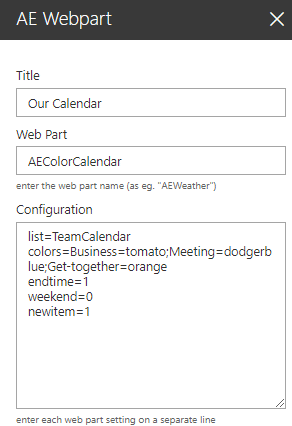
Web Part Configuration:
Title: enter the optional web part title
Web Part: AEColorCalendar
Configuration: enter the below configuration options:
site=SomeSite (optionally enter the name of the calendar's site) list=TeamCalendar (enter the name of the Sharepoint calendar) view=SomeView (optionally enter the name of the calendar view) colors=Business=tomato;Meeting=dodgerblue (enter the Category color values) categorycolumn=SomeColumnName (override the "Category" column name) statuscolumn=Location (optionally enter the column name to be used for the Status column color coding) statuscolors=Room Boston=cyan;Room Miami=red (enter the Status column color values) textcolor=black (override the default white text color) endtime=1 (display the appointment end times) weekend=0 (suppress the weekends) weeview=1 (display a weekly calendar) rowheight=60 (sets the minimum calendar week row height) newitem=1 (display the "Add new item" button) print=1 (display the "Print calendar" button) tooltip=Location;Category (columns to be displayed in the event's tooltip) localization=All day;Print Calendar;Add new item;Open Calendar;Week of (localize these strings)