List Search Web Part

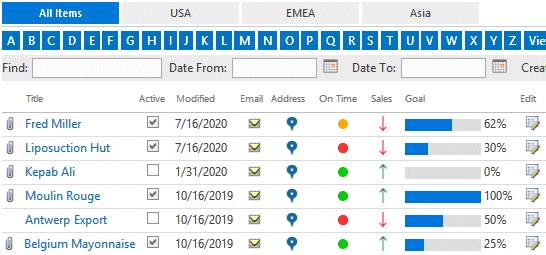
The List Search Web Part reads the entries from a Sharepoint List or Library (located anywhere in the site collection) and displays the selected user fields in a grid with an optional interactive search filter.


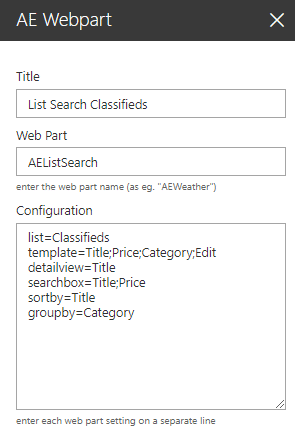
Web Part Configuration:


Title:
enter the optional web part title

Web Part:
AEListSearch

Configuration:
enter the below configuration options:

site=SiteUrl (optionally enter a site URL)
list=TeamCalendar (enter the name of the Sharepoint list)
view=SomeView (optionally enter the name of the list view)
template=enter the column names to be displayed
detailview=Title (defines the column to be linked)
searchbox=Title;Price (defines the optional search filters)
sortby=Title (optionally defines the sort order)
groupby=Category (optionally defines the group column)
azcolumn=ColumnName (defines the AZ Index column)
pagesize=10 (enable paging and set the page size)
showall=0 (do not display the list items unless a search filter has been applied)
style=Cards (optionally select one of the available grid styles)
addnewitem=1 (display the "Add new item" button)
searchfiltersvertical=1 (display the search filters vertically)
alternaterowcolor=silver (define the alternate row color)


Webpart Homepage & Download »