Banner Rotator Web Part
The Banner Rotator Web Part rotates the image files contained in the specified Sharepoint Picture Library using smooth transitions between the images.
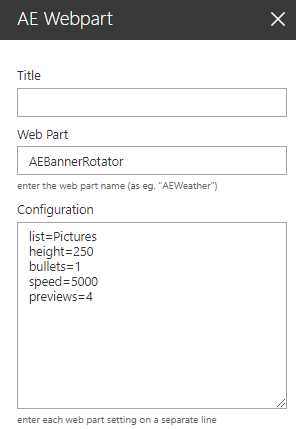
Web Part Configuration:
|
 |
The Banner Rotator Web Part rotates the image files contained in the specified Sharepoint Picture Library using smooth transitions between the images.
Web Part Configuration:
|
|
 site=SiteUrl (optionally enter a site URL)