Alerts Web Part

The Alerts web part lets you centrally manage notifications and alerts targeted to your users.
It reads entries from the included SharePoint List (located in the root site) and displays notifications during the specified time window as configured for each notification.

Sharepoint 2019 Alerts Web Part

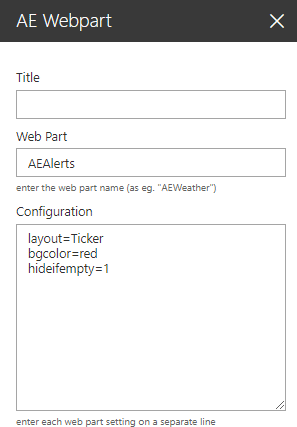
Web Part Configuration:


Title:
enter the optional web part title

Web Part:
AEAlerts

Configuration:
enter the below configuration options:

layout=Ticker (choose one of the available layouts)
bgcolor=red (enter the ticher background color)
hideifempty=1 (hide web part if no active alerts)
title=ALERTS (enter the optional ticker title)
colors=silver,red,green (enter the category colors)
icons=1 (enable the icons assigned to the categories)
speed=3 (ticker scroll speed: 1=fastest)
tickerdelimiter=xxx (override the default ticker delimiter)

Webpart Homepage & Download »