Quick Form Web Part

The "Quick Form" Web Part allows to design a web form which will be submitted by the users to the specified e-mail recipient and/or SharePoint list which provides a way for customers, business partners, and others inside or outside the company to submit questions or request information by filling out fields on a web page and clicking the Submit button.
Any number of form fields can be defined.
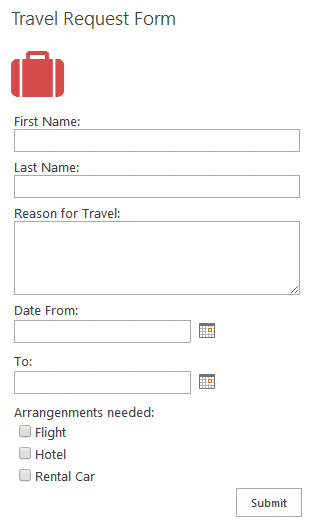
Sharepoint 2019 Modern Quick Form Web Part

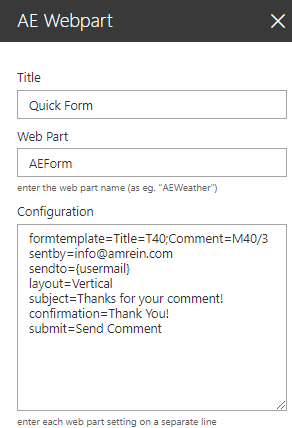
Web Part Configuration:


Title:
enter the optional web part title

Web Part:
AEForm

Configuration:
enter the below configuration options:

formtemplate=Title=T40 {enter the form template)
sendto[email protected] (specify the optional recipient)
sentby[email protected] (specify the optional sender)
layout=Vertical|Left adjust|Right adjust (label orientation)
subject=mail subject (optionally add the mail subject)
confirmation=some text (specify the confirmation text)
targetlist=list URL (optionally submit to a SharePoint list)
submit=button caption (override the default button caption)
formstyle=background:silver (enter the form CSS styles)
labelstyle=font-size:15px (enter the form label CSS styles)
emailtemplate=name of email template file (optional)
redirect=URL to redirect after submission (optional)


Webpart Homepage & Download »