List Rotator Web Part
The List Rotator Web Part displays and rotates the items of the selected Sharepoint List or Library.
Web Part Configuration:
|
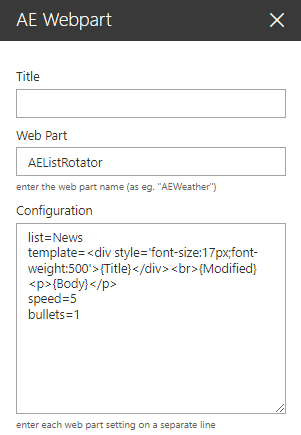 |
The List Rotator Web Part displays and rotates the items of the selected Sharepoint List or Library.
Web Part Configuration:
|
|
 site=Site URL (if the list/library is located in another site)